


By Andrea Au CPA
 Andrea graduated from the University of Alberta in 2018 with a major in accounting. She successfully wrote the September 2020 CFE and obtained her CPA designation in 2021. Andrea is a Financial Analyst at TELUS. In this two-part series, she discusses how teams in Capstone 1 can prepare their presentations and deliver them flawlessly.
First off, congrats, Capstone 1 candidates, for getting to this point in CPA PEP! You are one step closer to writing the CFE and becoming a CPA. As you may already know, Capstone 1 is the final evaluated module in CPA PEP. The module combines both individual and team work, and includes a written assignment and an oral presentation. There are two important components to the presentation: the written and the oral report. Your team will present the final report to a simulated panel of CPAs acting as senior managers or a board of directors.
In part 1 of this blog series, I will provide tips and tricks on how to prepare the materials and content for the presentation, including the main presentation slides, the appendices section, and supplementary materials or handouts.
Tip #1: Ensure formatting is consistent across all slides
Before creating the presentation, it is important for your team to establish formatting guidelines. Here are a few questions you can ask yourselves to ensure everyone is on the same page:
- What font type and size should we use in the content?
- What should be the font size for titles?
- What type of bullet points should we use?
- Should we discuss qualitative analysis before quantitative analysis?
Responsibility for different points of the PowerPoint might be split up between different group members, so asking these questions helps avoid inefficiencies down the road and ensures that your presentation looks clean, consistent, and professional.
Tip #2: Keep your slides clear and concise
Your PowerPoint slides should support the point you are trying to make, without looking like speaking notes. Text-heavy slides may be distracting because the audience might focus on reading them instead of paying attention to your message, expertise, and recommendations.
Tip #3: Use visual elements such as graphs or charts
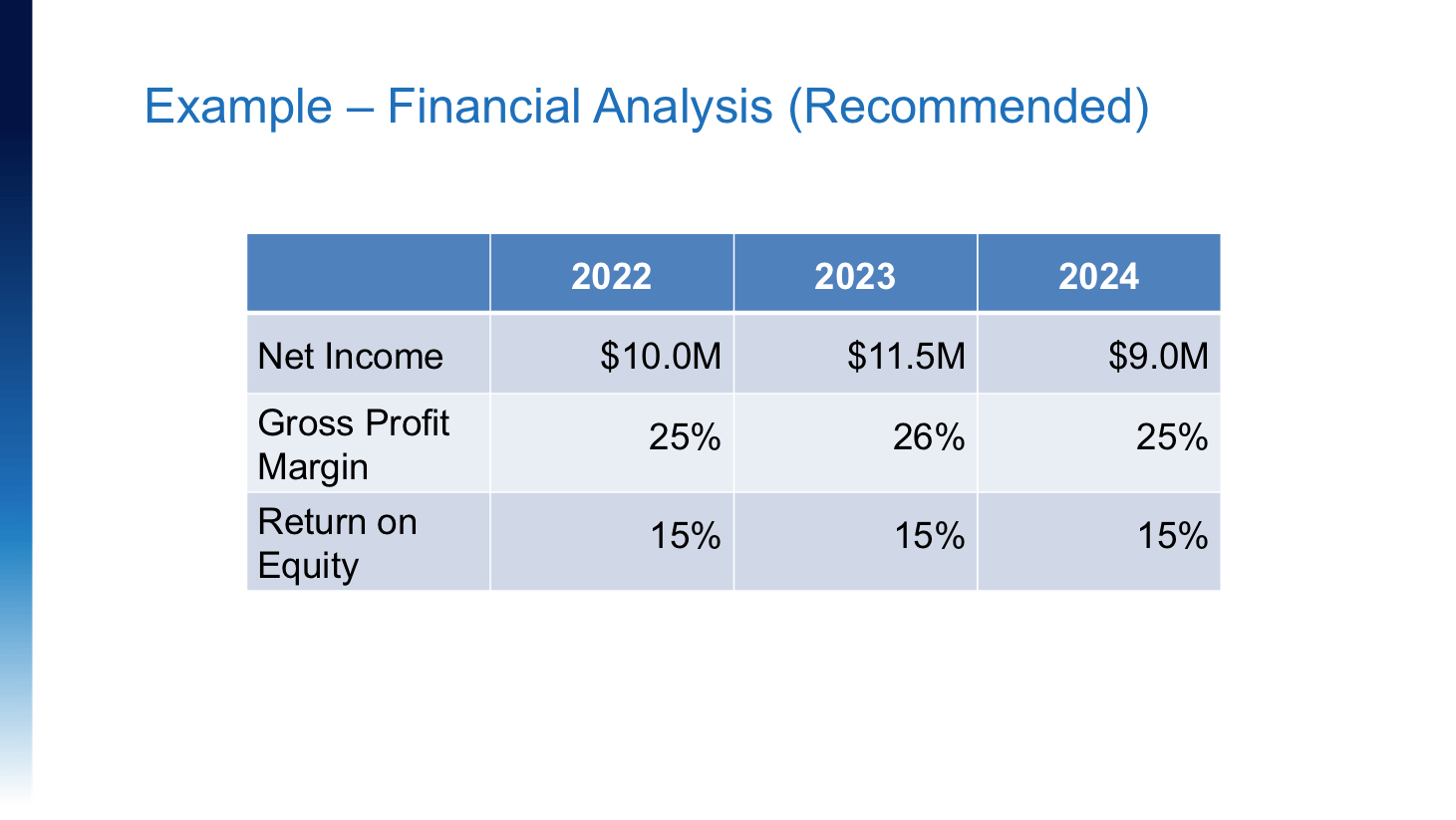
Graphs and charts are excellent for presenting financial information. Below are two slides containing the same information presented differently.
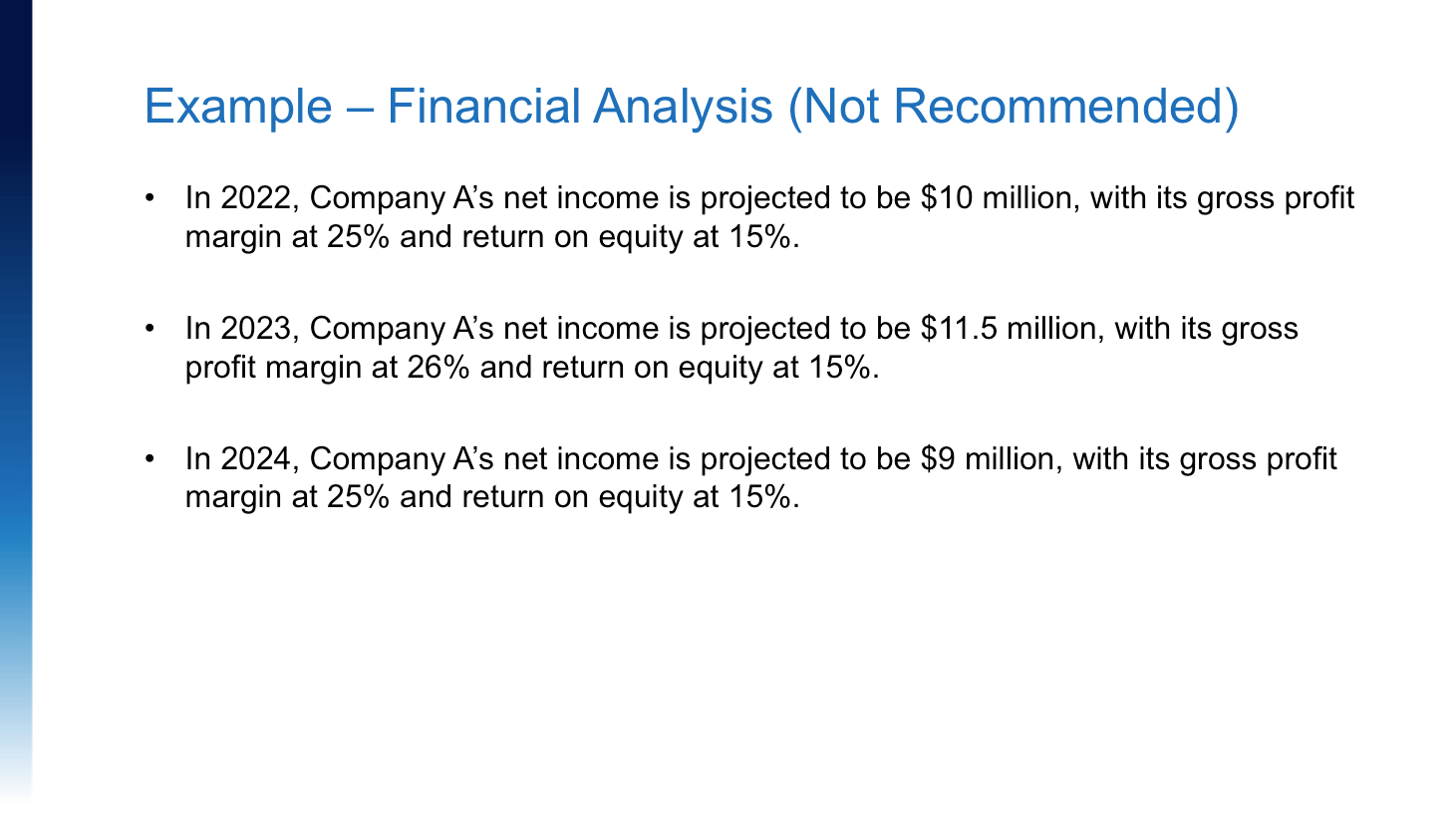
I would not recommend the first example pictured above as it lacks visual appeal and contains a lot of repetitive information. The slide looks busier than it should be, and in my opinion, the bullets are more suitable for speaking notes.
On the other hand, I would recommend the example below. Using an organized format, it shows the net income, gross profit margin, and return on equity for each year. The table’s visual appeal makes it easier to read; it also allows the audience to focus on the speaker to explain what these numbers mean.
Tip #4: Ensure your font size is legible
The text on your slides should be readable from a distance. A 32-point font size for titles and a 20-point font size for content are ideal, in my opinion. That said, use your own judgment to make sure you are using a reasonable font size without sacrificing relevant information. If you have lots of important content, consider splitting it into two slides.
Tip #5: Include an agenda
Having an agenda sets the tone and expectations of the presentation. It also ensures your audience is aware of the topics you will cover and the order in which you will address them. Typically, the agenda consists of an introduction, your decision criteria, overall recommendations, evaluation of each strategic alternative, operational issues, financial forecast, the implementation plan and financing, and your conclusion.
Tip #6: Include an appendices section
This will help you anticipate questions from the panel. For example, imagine that a panelist asks how you came up with a certain number at the end of your presentation. If you included that detail in your appendices, it will help you address the question more easily. An appendices slide is incredibly important because it demonstrates your team’s preparation. It’s always good to prepare for a Q&A, and having slides to reference while answering any questions will be important for your success.
Tip #7: Prepare handouts
I recommend providing the panel with supplemental materials that achieve the following three objectives:
- Provide a framework for the presentation;
- Enhance the audience’s understanding; and
- Maintain the audience’s attention.
Keep in mind that you are prohibited from giving copies of your Capstone 1 board report to the panel. I recommend providing printed copies of financial statements, your implementation plan, and the presentation slides to each panelist. Make sure to include title pages, a table of contents, and page numbers in the package. If you’re unable to provide printed copies, you can also provide all of the same supplemental materials in a PDF format.
At this point, you’ve prepared your presentation slides, formatted them neatly, included an agenda, and pulled together your supporting materials. What’s next? Read part 2 of this blog series to find out my tips and tricks for successfully delivering your oral presentation.
The views expressed in this post are those of the guest writer, Andrea Au CPA. Please refer to cpawsb.ca for the latest guidelines from the CPA Western School of Business.